In the competitive world of online shopping, customers rely entirely on product photos to decide what to buy. They can’t touch, test, or feel the material; their only point of trust is the visual representation you provide. This is why clarity, accuracy, and consistency in product images directly impact customer satisfaction, conversion rates, and most importantly, return rates.
Poor-quality or misleading product photos are one of the top reasons for e-commerce returns. A customer who receives something different from what they saw online is far more likely to request a refund. That’s why mastering the right photo editing techniques is crucial for reducing returns and building credibility.
Here are the top 10 photo editing tips every e-commerce brand should follow to minimize product returns and deliver a visually trustworthy shopping experience.

1. Maintain True-to-Life Colors
One of the biggest triggers for product returns is color inconsistency. If the customer receives a product that looks even slightly different from the online photo, they lose trust.
Editing Tips:
- Use accurate color correction techniques.
- Calibrate your monitor before editing.
- Avoid over-saturation or artificial color enhancement.
- Compare edited photos with real product samples.
2. Use Proper White Balance for Natural Tones
Incorrect white balance can make products look too warm, too cool, or dull.
Editing Tips:
- Adjust white balance manually to match real lighting.
- Neutralize shadows and highlights.
- Use gray cards in photography to simplify editing.
When your photos show the product under natural, balanced tones, customers trust what they see.
3. Enhance Product Details Without Over-Editing
Customers want to see every detail clearly: stitching, texture, patterns, materials, buttons, and finishes.
Editing Tips:
- Use clarity and sharpness tools carefully.
- Preserve texture without making the product look unrealistic.
- Zoom into edges to ensure clean detailing.
Too much sharpening creates a fake, artificial feel. Subtle enhancement builds trust.
4. Remove Backgrounds Consistently
Clean, distraction-free backgrounds help customers focus on the product. Most e-commerce platforms prefer white or transparent backgrounds.
Editing Tips:
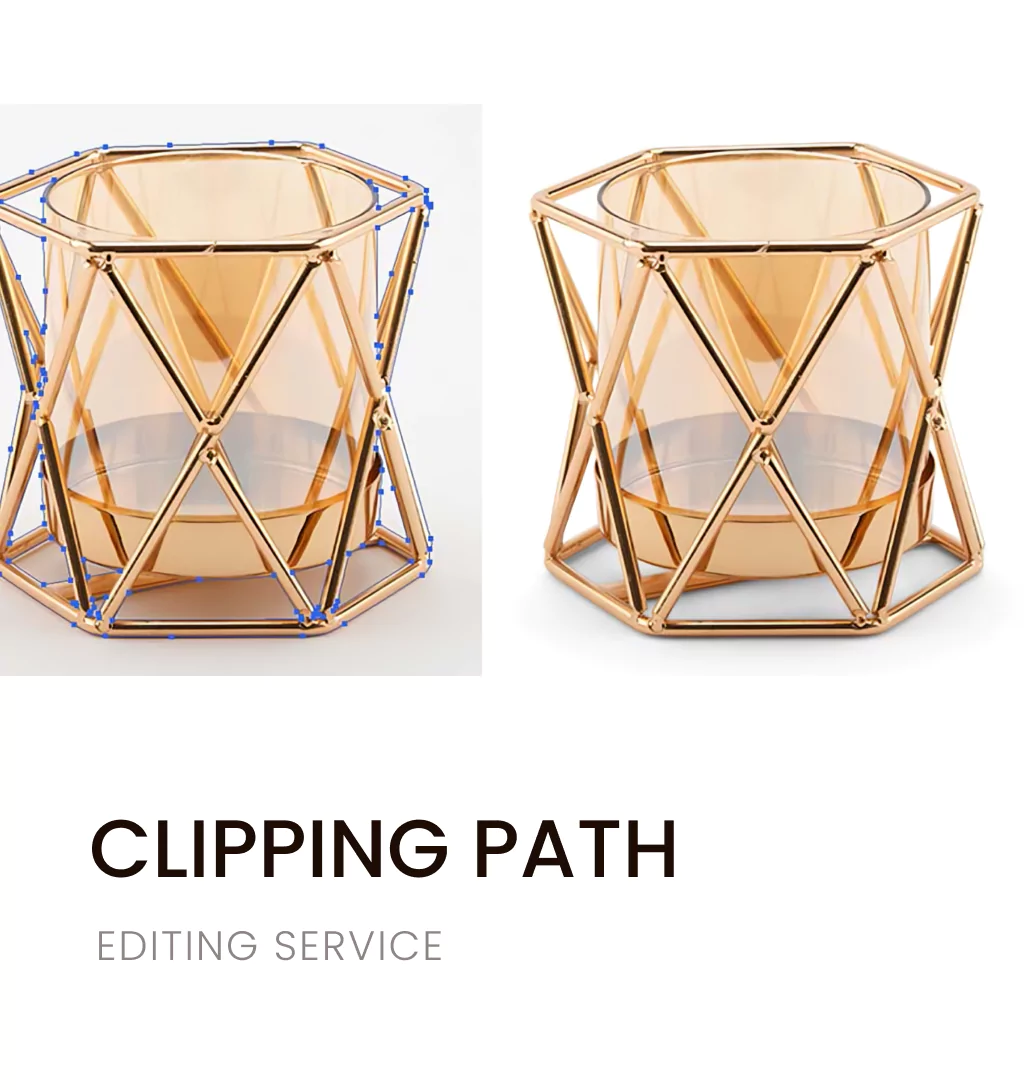
- Use professional background removal or clipping path techniques.
- Maintain consistent borders and spacing.
- Avoid sloppy cutouts or jagged edges.
This also ensures uniformity across your catalog, improving brand presentation.
5. Use Drop Shadows for a Natural Look
Pure white backgrounds can sometimes make products appear flat. Natural drop shadows add depth, making images look realistic.
Editing Tips:
- Add soft, subtle, and direction-appropriate shadows.
- Avoid harsh or overly dark shadows.
- Keep shadow transparency consistent across all photos.
Shadow editing helps products look grounded rather than floating unnaturally.
6. Ensure Accurate Product Size Representation
One of the most common return reasons is size confusion. Photos without context often mislead buyers.
Editing Tips:
- Add size reference objects when possible.
- Use proper cropping to avoid distortion.
- Avoid wide-angle lenses that change proportions.
Accurate representation reduces disappointment and confusion during delivery.
7. Correct Lens Distortion and Perspective Issues
Bad angles or lens distortion can make products appear stretched, compressed, or skewed.
Editing Tips:
- Straighten lines and edges during editing.
- Correct barrel or pincushion distortion.
- Retouch perspective using tools like lens correction and transform.
Clean lines improve product credibility and reduce unrealistic expectations.
8. Retouch Imperfections—But Keep It Real
Editing should remove dust, scratches, fingerprints, wrinkles, and minor manufacturing defects, but never hide key features.
Editing Tips:
- Spot-heal only unwanted marks.
- Avoid smoothing that changes fabric or surface quality.
- Maintain product authenticity.
Customers want perfection, but not deception.
9. Provide Multiple Angles and Variant Images
If customers only see one angle, they’re likely to misunderstand the product.
Editing Tips:
- Ensure all angles have consistent lighting and color.
- Edit different variations (sizes, colors, models) with accuracy.
- Use 360° image editing for a complete view when possible.
More visual information reduces returns caused by misinterpretation.
10. Maintain Image Consistency Across Your Entire Store
Uniform editing builds trust and reduces confusion.
Editing Tips:
- Create a visual style guide for editing.
- Use the same background, tone, and lighting style.
- Standardize image dimensions and cropping.
When your product photos look consistent, buyers feel more confident in purchasing.
Conclusion:
If you want to ensure your product photos are accurate, clean, consistent, and conversion-ready, partnering with professionals can save time and drastically reduce returns.
Emend Studios specializes in:
- High-end product photo editing
- Background removal & clipping path
- Color correction & variant editing
- Shadow, reflection & ghost mannequin editing
- 360° image enhancement
- Catalog-wide consistency editing
With expert precision and e-commerce-focused editing techniques, Emend Studios helps brands create photos that boost trust, increase sales, and minimize returns.